Role Mapping
AMS Connect currently supports the following role mapping options with re:Members (Impexium):
- Member/Non-Member
- Membership Type [BETA]
- Certification [BETA]
- Committee [BETA]
- Security Role [BETA]
- Purchase [BETA]
- Event [BETA]
Initial Setup
Once you have added valid credentials to the "re:Members Settings" page, you will be able to customize the Role Mapping. First, select the types of role mapping that you would like to enable on this site and its options will appear below.
Member/Non-Member
This feature looks for an active membership on the user's individual account record. If it finds any active memberships, it will grant the user the roled mapped to "Member". If there are no active memberships, the user will be granted the role mapped to "Non-Member".
By default, membership access starts on the earlier of effectiveDate or joinDate. If your organization requires strict term-start access, enable Honor Effective Date on the re:Members Settings page.
AMS Connect currently only supports users with a single membership. If multiple memberships are detected on the user, AMS Connect will grant the "Member" role if any of the memberships are current and will set the Membership Type and Membership Expiration user meta fields based on the first membership
Membership Type [BETA]
AMS Connect for WP automatically populates the Membership Type dropdown with membership types that have been created in your re:Members account. Simply select the Membership Type from the drop down and the role you would like users with that Membership Type to be assigned.

If you don't see the Membership Type you are looking for, you may need to refresh the AMS list of Membership Types by clicking the "Refresh AMS Data" button at the top right of the Membership Type card.
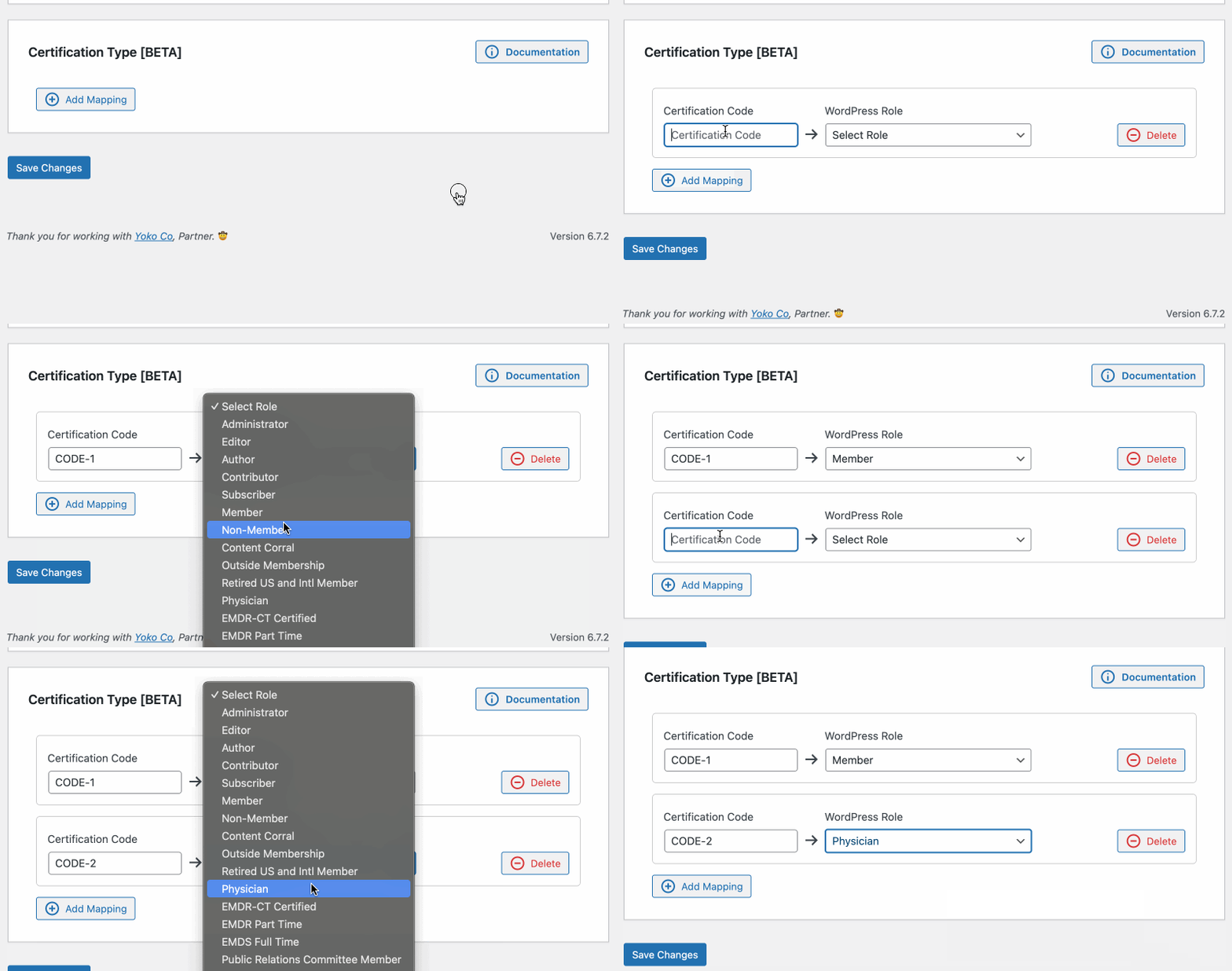
Certifications
AMS Connect for WP allows you to map Certifications to WordPress Roles. re:Members does not have a way to pull in all Certifications from your account, so you will have to input the Certification Code to enable the mapping.
Committees
AMS Connect for WP automatically populates the Committees dropdown with the committees in your re:Members account. This dropdown will only populate with active committees. Simply select the Committee from the drop down and the role you would like users who are in that committe to be assigned.

If you don't see the Committee you are looking for, you may need to refresh the AMS list of Committees by clicking the "Refresh AMS Data" button at the top right of the Committee card.
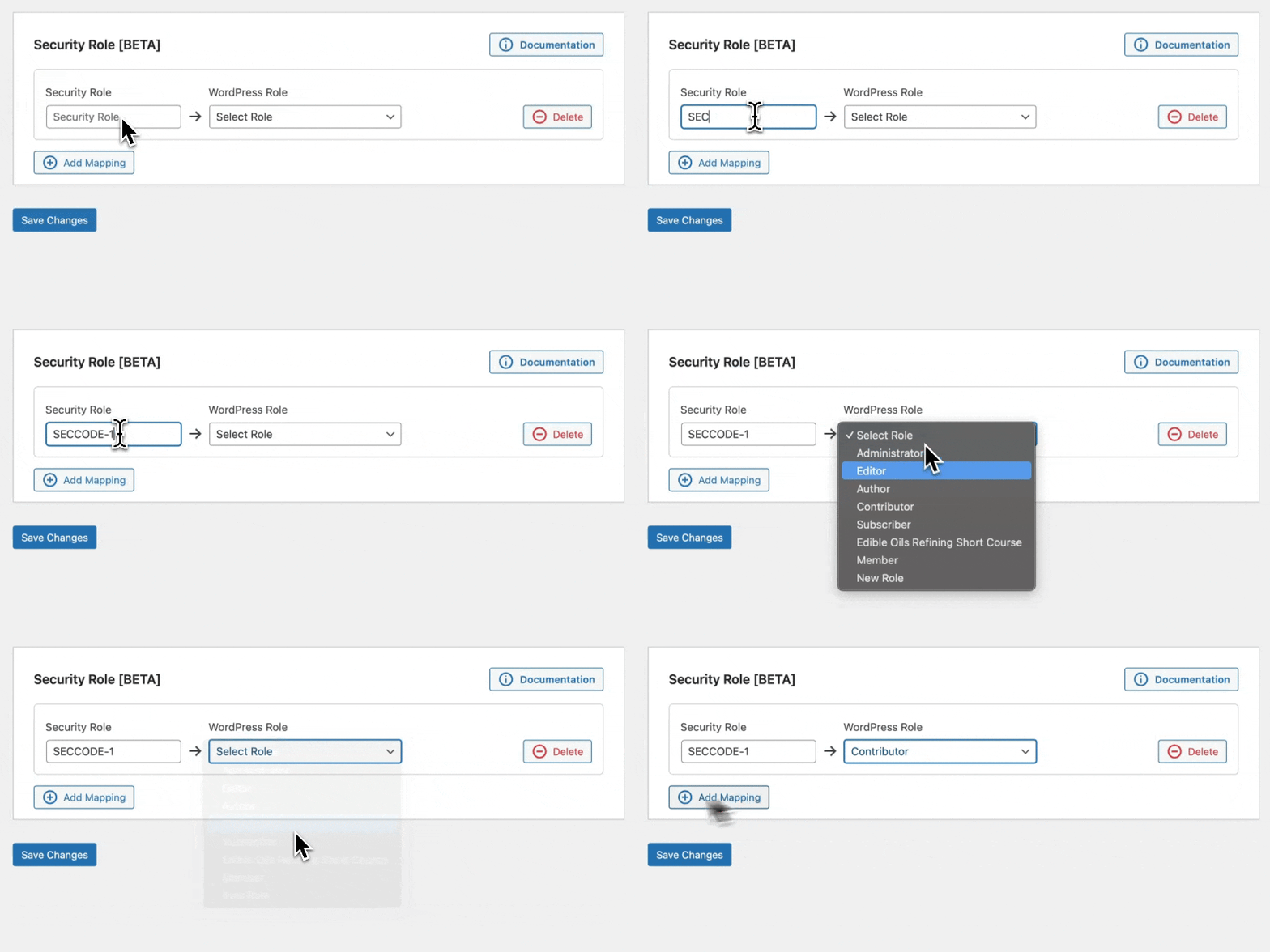
Security Role
AMS Connect for WP allows you to map Security Roles to WordPress Roles. re:Members does not have a way to pull in all Security Roles from your account, so you will have to input the security role code to enable the mapping.
:::
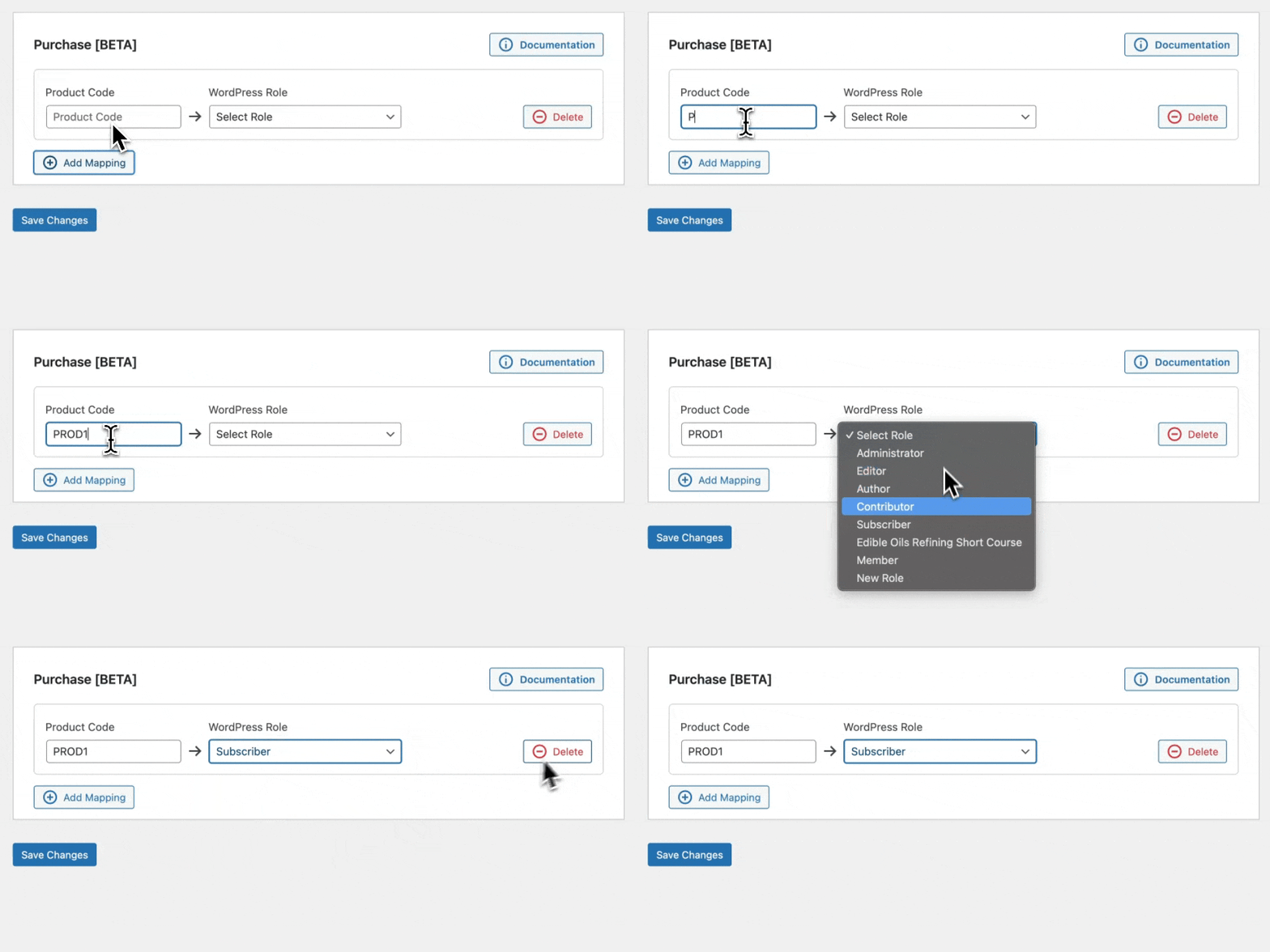
Purchases/Products
AMS Connect for WP allows you to map purchases/products to WordPress Roles. re:Members does not have a way to pull in all products from your account, so you will have to input the product code to enable the mapping.
:::
Events
AMS Connect for WP allows you to map Events to WordPress Roles. re:Members does not have a way to pull in all events from your account, so you will have to input the event code to enable the mapping.

:::